
Dynamic Content & Settings Per Product
If you want a section to be different from your existing pages, you will need to create a metafield for your products or use a different template.
For more information on metafields and how to create them, refer to Shopify's guide: Using Metafields or Section Store's video guide: Dynamic Fields: Metafields & Metaobjects
Here’s how to create a new template for your Product pages:
- Go to your Theme editor > Products > Create template.
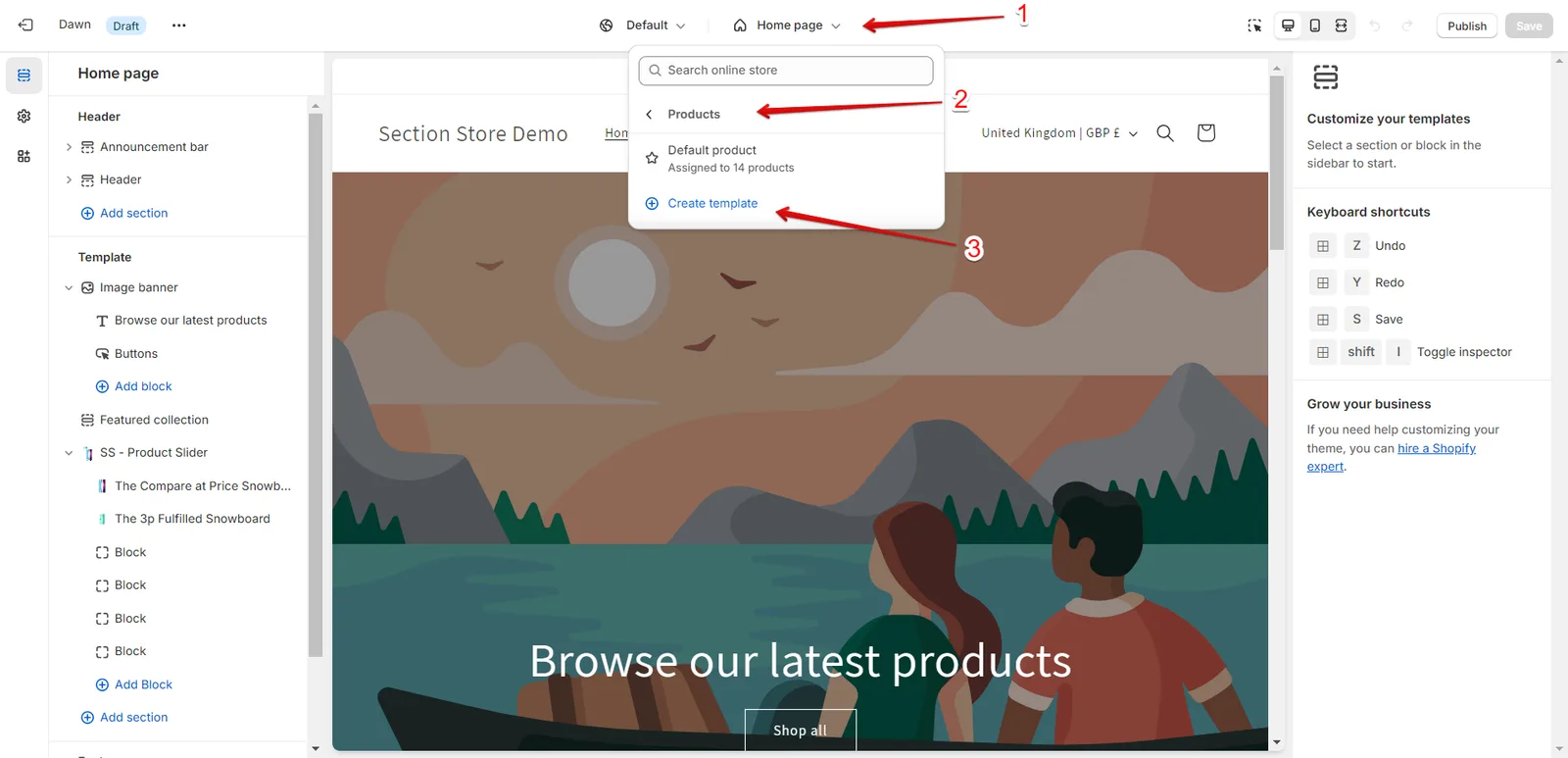
- Add your new template name and click Create template.
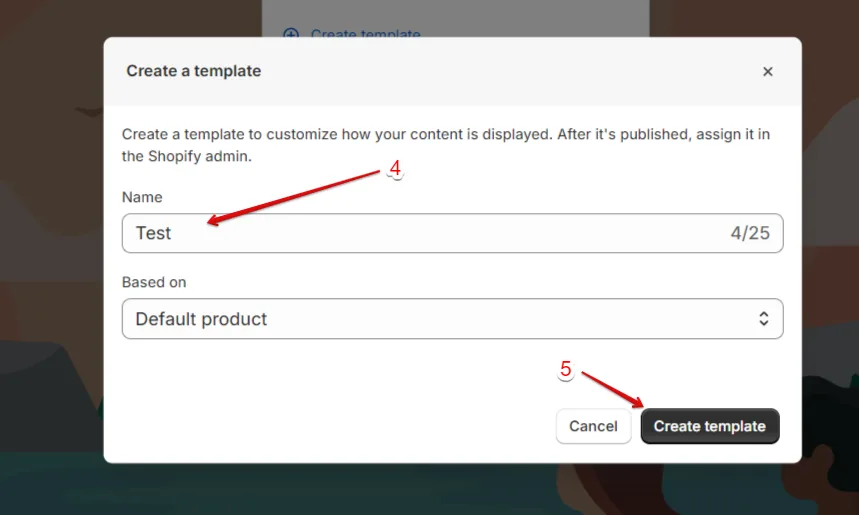
- Customize the new template by adding the different sections you like.
- Assign the new template to a specific product:
Go to your Shopify admin > Products > select the product > Theme template.
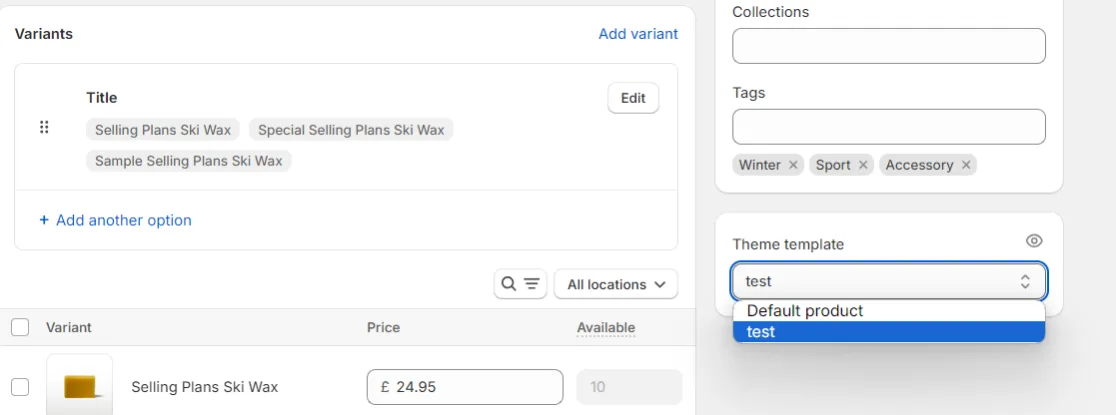
- Save it. The specific template will now be associated with the specific product.
Related articles
- Dynamic fields: Metafield and Metaobjects
- Create Dynamic Upsell Blocks for Every Product Page
- Create Dynamic Reviews Blocks for Every Product Page
Also searched as: alternate template, assign template, can i have different sections, change text per product, content per page, create template, custom template, different content, different description, different image per product, different per product, different product, different reviews per product, different section, different settings, duplicate template, dynamic, dynamic content, dynamic fields, edit one product, how to change per product, metafield, metafields, metaobject, multiple products, new product template, one product only, per product content, product pages, product specific section, product template, products templates, same on all products, section repeats every product, section same on all products, section shows same text, separate products, template dropdown, theme editor templates, theme template, unique content
Did this answer your question?