.png)
Show bundles on your product page with the Bundles app embed
Bundles now show on your product pages through a Bundles app embed. Turn it on once, and your bundles appear right above the quantity selector and Add to cart on any theme, including Horizon. No dragging blocks around.
Before you start
- You need an active Plus plan.
- Create and publish at least one bundle.
Turn on Bundles from the Bundles page
- In Section Store, open Bundles.
- Find the Quick Setup Guide card and click Turn on in theme.

- Your theme editor opens on App embeds with Bundles switched on. Click Save.
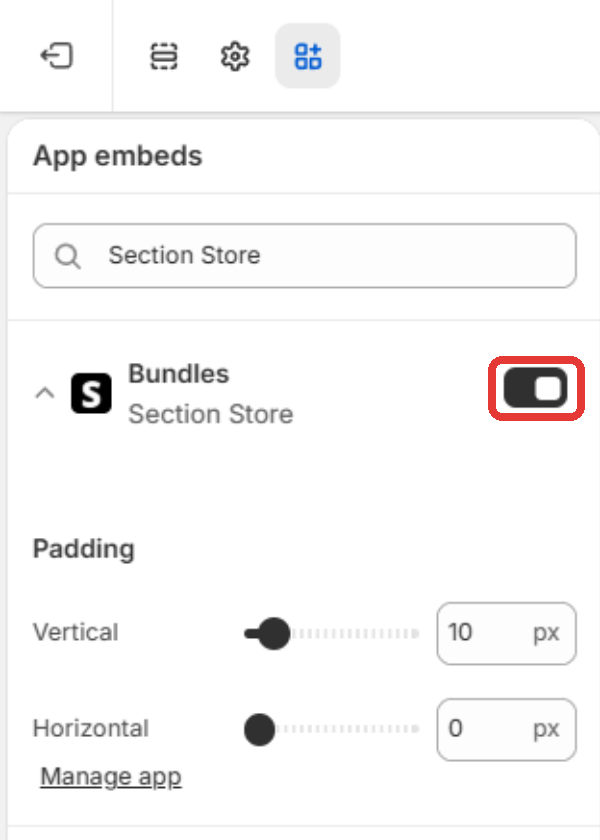
- Back in Section Store, the card shows Live on your store.
Turn on Bundles from the bundle editor
- Open a bundle. If you see Your bundle isn't on your store yet, click Turn on.
- Click Save in the theme editor.
- Back in the bundle editor, click I've done it.
Tips
- Already placed a bundle block by hand? It still works, and it takes priority over the embed.
- Bundles only show on products that have a bundle deal.
- If your theme has no standard Add to cart button, the bundle shows right after the price.
- Need more space around the bundle? Open the Bundles embed in your theme editor and adjust Padding.